
Garry's Mod
Server Hosting in Australia
Starting from $2/mo. Configure your plan below.
Choose Your Plan
Garry's Mod Game Type

Garry's Mod
Build, fight and fool around with up to 32 players on your own Garry's Mod server, hosted in Sydney for low ping across AU and NZ. Sandbox and Trouble in Terrorist Town are built in, and DarkRP, Prop Hunt and more come from the Steam Workshop.
Choose Your Plan
All prices are in Australian dollars (AUD).Select a plan to view price
Server Specs
- Performance-tuned processors
- Unlimited NVMe SSD storage
- Enterprise DDoS Protection
Network
- Premium Sydney bandwidth
- Low-latency routing
Game Server FeaturesWhat's included with my server?

Blazing Fast Servers

AI-Powered Modpacks

Instant Setup

Automated Backups

Fast Support

DDoS Protection

Scale Up or Down

72 Hour Refunds
Our Control PanelMeet CorePanel
Discover powerful features to manage your game server!
Dashboard
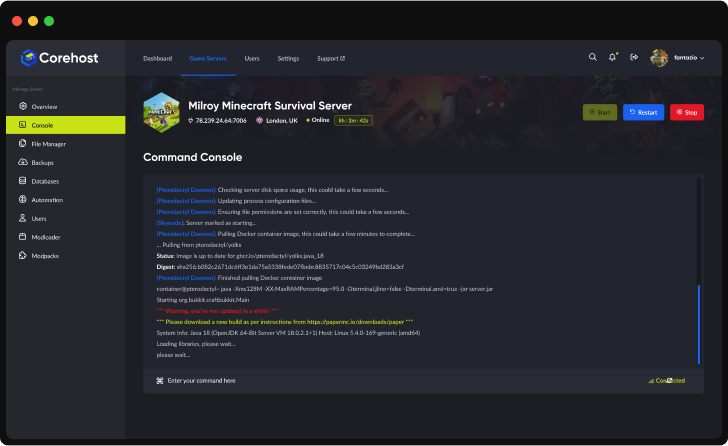
Console
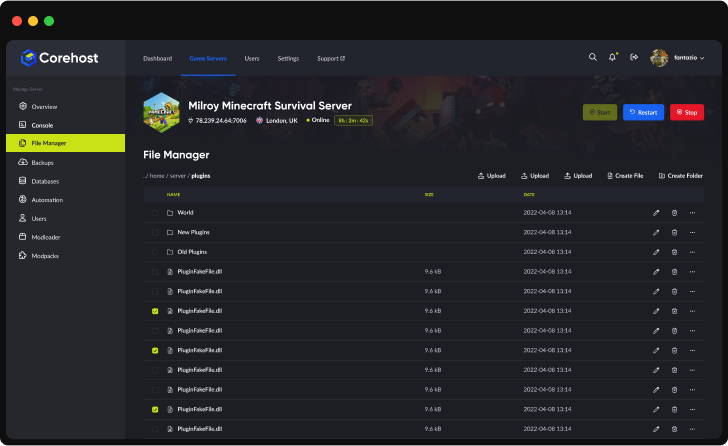
File Manager
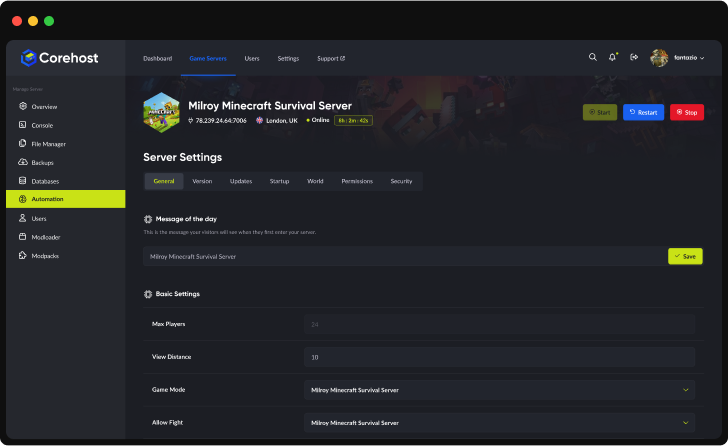
Settings
Plan Info
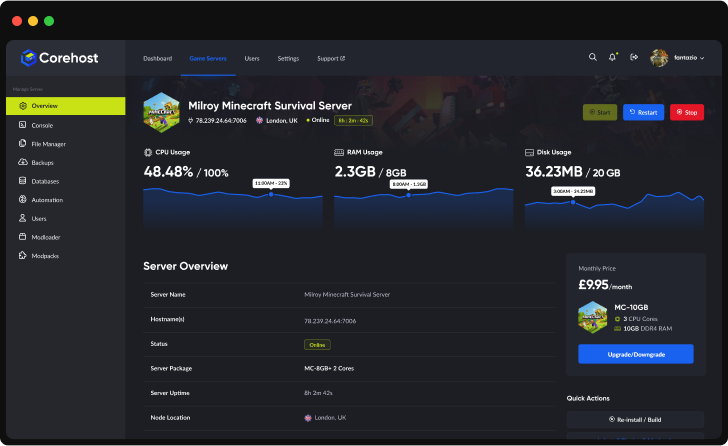
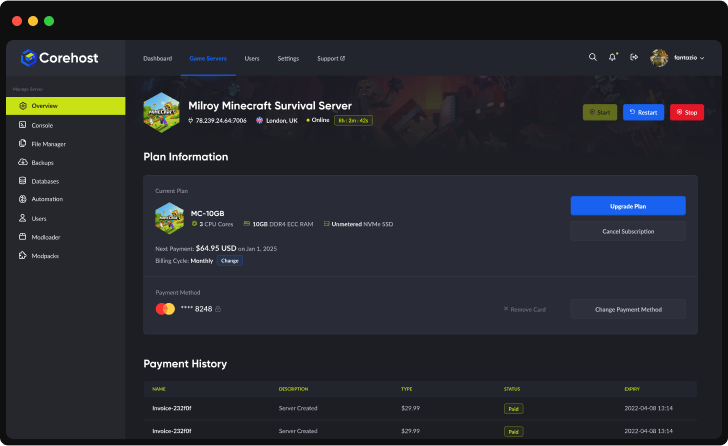
Powerful Dashboard
Monitor your server's vital statistics in real-time with our comprehensive dashboard. Track CPU, RAM, and disk usage through elegant visualisations, manage your server with one-click controls, and view all critical server information in a single, streamlined interface.
Server InfrastructureEnterprise-Grade Hardware

Premium CPUs
Performance-tuned
ECC Memory
High-performance
NVMe SSD
Ultra-fast storage
Premium Network
Low-latency routing
QuestionsGarry's Mod server FAQ
Which gamemodes can I run?
Sandbox and Trouble in Terrorist Town (terrortown) are built in: pick one when you order or set Gamemode in Settings and restart. Gamemodes from the Steam Workshop, such as DarkRP, Prop Hunt or Murder, go in your Workshop collection first, then you set Gamemode in Settings to the gamemode's folder name, for example darkrp. If the server can't find the gamemode you set, the Console says so.
How do I add Workshop addons, maps and gamemodes?
Put them in a Steam Workshop collection, set to Public or Unlisted, and give your server the collection: paste its link into the AI Mod Assistant (Mods, in CorePanel), or put its id (the number at the end of the link) in Workshop collection ID in Settings and restart. No Steam Web API key is needed. The assistant backs up your server, sets the collection, restarts the server and checks the server log that every item was mounted. If one was not, it puts your previous collection back by itself. Your server downloads the collection each time it starts, so items you add to the collection on Steam arrive at the next restart, and CoreHost also tells players' games to download them when they join, so models and textures aren't missing.
Do I need a Steam login token (GSLT)?
It's optional. Without one your server still appears in the server list, but Steam ranks servers without a token much lower, and the server's Steam ID changes at every start. To make one, sign in at steamcommunity.com/dev/managegameservers, enter App ID 4000 and any memo, then paste the token into Steam login token in Settings and restart. If Steam doesn't accept the token, your server starts again without it and the Console says why. CoreHost never needs your Steam login.
Do TTT and DarkRP maps that need Counter-Strike: Source content work?
Yes, on the server: Counter-Strike: Source content comes with the Garry's Mod dedicated server, so maps and gamemodes that use its models load properly. Players still need Counter-Strike: Source content in their own game to see those models and textures instead of missing textures.
What can I change in Settings?
Server name, Steam login token, join password, RCON password, gamemode, map, Workshop collection, whether players' games download your Workshop content, tickrate and the daily restart hour. CoreHost writes the server name, passwords and location into the top of garrysmod/cfg/server.cfg each time the server starts, so change those in Settings. Any other lines you add to server.cfg yourself are kept. Player slots are set by your plan.
Does my server restart by itself?
Once a day, at 5am Sydney time unless you pick another hour or turn it off in Settings. Players see a warning in chat 10 minutes and 1 minute before, the server checks Steam for a Garry's Mod update, then starts again. A daily restart frees memory that addons hold on to. Stop and Restart send Garry's Mod's quit command, so addons save their data before the server closes. Kill ends the server at once without that, so use Stop or Restart when you can.
Which plan do I need?
The 2GB plan has 16 player slots and the 4GB plan 32. In our tests a sandbox server with nobody on used about 0.13GB of memory, and DarkRP with its map, a small Workshop collection and 31 bots about 0.3GB. Big Workshop collections and busy servers use more, so choose the 4GB plan for those. You can change plan from your control panel.
How much does a Garry's Mod server cost?
$2 a month for 2GB (up to 16 players) or $4 for 4GB (up to 32 players). Prices are in Australian dollars and billed monthly.
More answers in our FAQ, and every plan for every game on the pricing page.
Deploy your game server today
Your server is set up automatically as soon as you order, with no waiting on a person.